

iDraw Hシリーズ 大判ペンプロッター A3/A2/A1/A0 | 高速描画ロボット
A3 / US
¥88,900 JPY
セール価格
¥88,900 JPY
通常価格
¥126,900 JPY
製品情報へスキップ


iDraw Hシリーズ 大判ペンプロッター A3/A2/A1/A0 | 高速描画ロボット
¥88,900 JPY
セール価格
¥88,900 JPY
通常価格
¥126,900 JPY
送料はチェックアウト時に計算されます。
iDraw Hシリーズは、A3、A2、A1、A0サイズに対応した高速大判ペンプロッターです。0.01mmの精度と最大12,000mm/分の速度を誇り、プロフェッショナルなジェネレーティブアート、建築図面、自動書き込みに最適です。Inkscape、LightBurn、メールマージ、SVGワークフローに対応しています。クリエイティブおよび産業生産における強力なベストペンプロッターであり、大判ペンプロッターです。


超大型フォーマットの柔軟性(A3からA0まで)
iDraw Hは、A3、A2、A1からA0までの複数の作業サイズに対応しており、デスクトップレベルの描画から展示用の大判出力までスケールアップが可能です。精度と拡張性の両方を求めるアーティスト、デザイナー、エンジニア、教育者向けに設計されています。
高速精密CoreXYシステム
CoreXYモーション構造と産業用ステッピングモーターを搭載したiDraw Hは、最大12,000 mm/分の書き込み速度と0.01 mmの精度を実現します。繊細な書道から複雑な生成アートの制作まで、安定したパフォーマンスを保証します。
ソフトウェア統合による拡張されたクリエイティブワークフロー
Inkscape、LightBurn、SVGベースのデザインワークフローと完全に互換性があり、iDraw Hはバッチ書き込みのためのメールマージ、手書き効果のためのハーシーフォント、フォントのバリエーション用スクリプタライザーツール、自動描画生成のための画像からSVGへの変換をサポートしています。
オプションのレーザー拡張機能
iDraw Hはオプションのレーザー彫刻ヘッド(0.5W〜15W)に対応しており、ユーザーは描画から木材、革、プラスチック、紙の加工などの彫刻用途へと拡張できます。これにより、アートと製作の両方に対応したハイブリッドなクリエイティブ生産プラットフォームとなっています。
パーソナライズされた生産のための自動化
メールマージとバッチ処理に対応したiDraw Hは、手紙、招待状、封筒、パーソナライズされたアートワークを自動生成できます。生成アートシステムや商業的なカスタマイズワークフローで広く利用されています。
安定した産業用グレードの構造
アルミニウムプロファイルと鋼板フレームで構成されたiDraw Hは、高速運転時でも剛性を保ち振動を低減します。また、垂直設置にも対応しており、大型のスタジオやワークショップ環境に適応可能です。
Product Specification
System & Control
- Motherboard: DrawCore V2.0
- Firmware: GRBL Compatible
- Control System: UUNA TEK 2.0 Control
- Connectivity: USB / Bluetooth
- Input Voltage: AC 110–220V (Worldwide Compatible)
- Power Output: DC 12V / 1A
Motion System
- Motor Structure: CoreXY Motion System
- Motors: 4 × 42 Stepper Motors (A1/A0 upgraded configuration)
- Writing Speed: 0–12,000 mm/min
- Mechanical Precision: X/Y 0.01 mm
- Pen Angle: 70–90° adjustable
- Operation Stability: Optimized for large-format precision plotting
Working Area
- A3 Working Area: 420 × 297 mm (16.5 × 11.7 in)
- A2 Working Area: 420 × 594 mm
- A1 Working Area: 594 × 841 mm
- A0 Working Area: 841 × 1189 mm (33.1 × 46.8 in)
Frame & Structure
- Frame Materials: Aluminum Profile + Steel Plate
- Mounting Options: Horizontal / Vertical supported
- Design Type: Large-format modular structure (no baseplate version)
Laser Compatibility
- Laser Support: Optional upgrade compatible
- Laser Power Range: 0.5W / 1.6W / 2.5W / 10W / 15W
- Supported Materials: Wood, leather, plastic, paper, coated materials
Dimensions & Weight
- A3 Net Weight: ~5 kg
- A1 Net Weight: ~8–10 kg
- A0 Net Weight: ~12–14 kg
- Packaging: Partially disassembled for safe international shipping
- Production Time: Made-to-order (approx. 1 month production + shipping time)
Software & Compatibility
- Windows 7/8/10/11 (Inkscape supported)
- Mac OS (Inkscape, LightBurn for laser engraving)
- Linux supported
- Supported Formats: SVG, DXF, PNG, JPG, BMP
- Email Merge, Hershey Fonts, Script-based font variation supported
- Image-to-SVG conversion supported
Key Capability Notes
- Designed for generative art, calligraphy, drafting, and automation writing
- Supports batch production such as letters, cards, and invitations
- High precision system optimized for large-format creative workflows
- Stable structure designed for long-duration plotting tasks
よくある質問
1. 最適な結果を得るためにおすすめのペンと紙は何ですか?
最高のプロット結果ときれいな線を得るために、滑らかで高品質な紙(80〜160gsm)と、ゲルペン、ファインライナー、万年筆などの速乾性インクペンの使用をおすすめします。
2. ペンが紙を傷つけないようにするにはどうすればいいですか?
ペン先の高さが正しく調整されていることを確認し、適切なペン圧設定を使用してください。また、紙の表面がでこぼこしていないことを避け、プロット中は用紙をしっかり固定してください。
3. プロット作成にはどのくらい時間がかかり、どの速度を使うべきですか?
プロット時間は複雑さとサイズによって異なります。大きなフォーマットの場合、より正確で滑らかな出力のために、推奨速度は約2000〜6000 mm/分です。
4. InkscapeプラグインなしでiDraw Hを操作できますか?
はい、iDraw Hは直接SVGワークフローや高度なソフトウェアオプションを含む複数の操作方法をサポートしており、ユーザーはInkscapeプラグインに依存せずに操作できます。
5. 大判プロジェクトにおけるiDraw Hの精度はどのくらいですか?
iDraw HはX軸とY軸で最大0.01mmの精度を提供し、詳細な生成アート、技術図面、大規模なデザイン作業に適しています。
6. iDraw Hはレーザー彫刻に対応していますか?
はい、オプションのレーザー彫刻モジュール(0.5Wから15W)に対応しており、木材、革、プラスチック、紙の素材に彫刻が可能です。
7. Z軸は異なるペンの高さやツールに対応して調整できますか?
はい、Z軸は完全に調整可能で、さまざまなペンタイプや描画ツール、オプションのレーザーヘッドに対応し、柔軟な高さ調整が可能です。
8. 大きなプロットに対してフレームは十分に安定していますか?
はい、アルミニウムとスチールの構造は高い安定性を持つよう設計されており、高速や大判プロッティング作業中でも振動を抑えます。
9. iDraw Hは縦向きに取り付けられますか?
はい、このシステムは縦置きに対応しており、大きな作業スペースの最適化や壁面を活用したクリエイティブな設置に最適です。
10. どのファイル形式とソフトウェアがサポートされていますか?
SVG、PNG、JPG、DXF、BMP形式に対応しています。対応ソフトウェアにはInkscape、LightBurn、その他のベクター形式のデザインツールが含まれます。
A
Setting up and installing was very straightforward. Was working with A3 plotters from before, but the change in scale makes an order of magnitude in differences. Very precise, easy to setup drawing material with the inkscape extension. If you have available space (had to reconfigure my whole studio due its size) I can highly recommend this drawing machine.

C
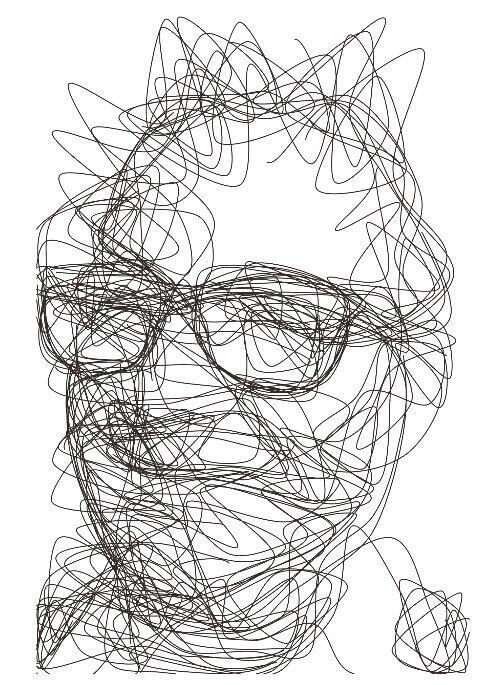
My first pen plotter the Uuna Tek H A3. I settled on this make and model after watching many videos on YouTube. Uuna Tek consistently came out looking the best so I took the plunge and pressed the buy it now button. A week later I had a large box delivered! Opening the box, it's clear the machine was well packed to withstand shipping. A "hand written" thank you card was a nice touch. Assembly was simple and straightforward. The machine is nicely designed and definitely has a quality feel to it. The software was easy to install, I used the inkscape download (with plugins pre-installed) from the Uuna Tek website. All very straightforward and simple! I've attached a couple of my first prints. I'm absolutely delighted with the machine and the quality of the plots it produces. If you, like I was, are initialising hesitating to press "buy it now" - then don't. Press that button - you won't regret it! Regards to you all from a very wet UK.


M
I purchased this plotter because previously I bought a Silhouette Cameo 4 Pro. That worked but it made a lot of noise and it was very hard to align multiple layers.
This plotter however solved both these issues for me. It is quiet enough to have it running in my room while my son is sleeping in his room next to it. So that's really a big plus.
Also aligning it and doing multiple layers was super easy.
Mounting it took me about 20 minutes. Which was also very easy.
All in all couldn't be more happier with this purchase.
May someday get the A0 version even.


G
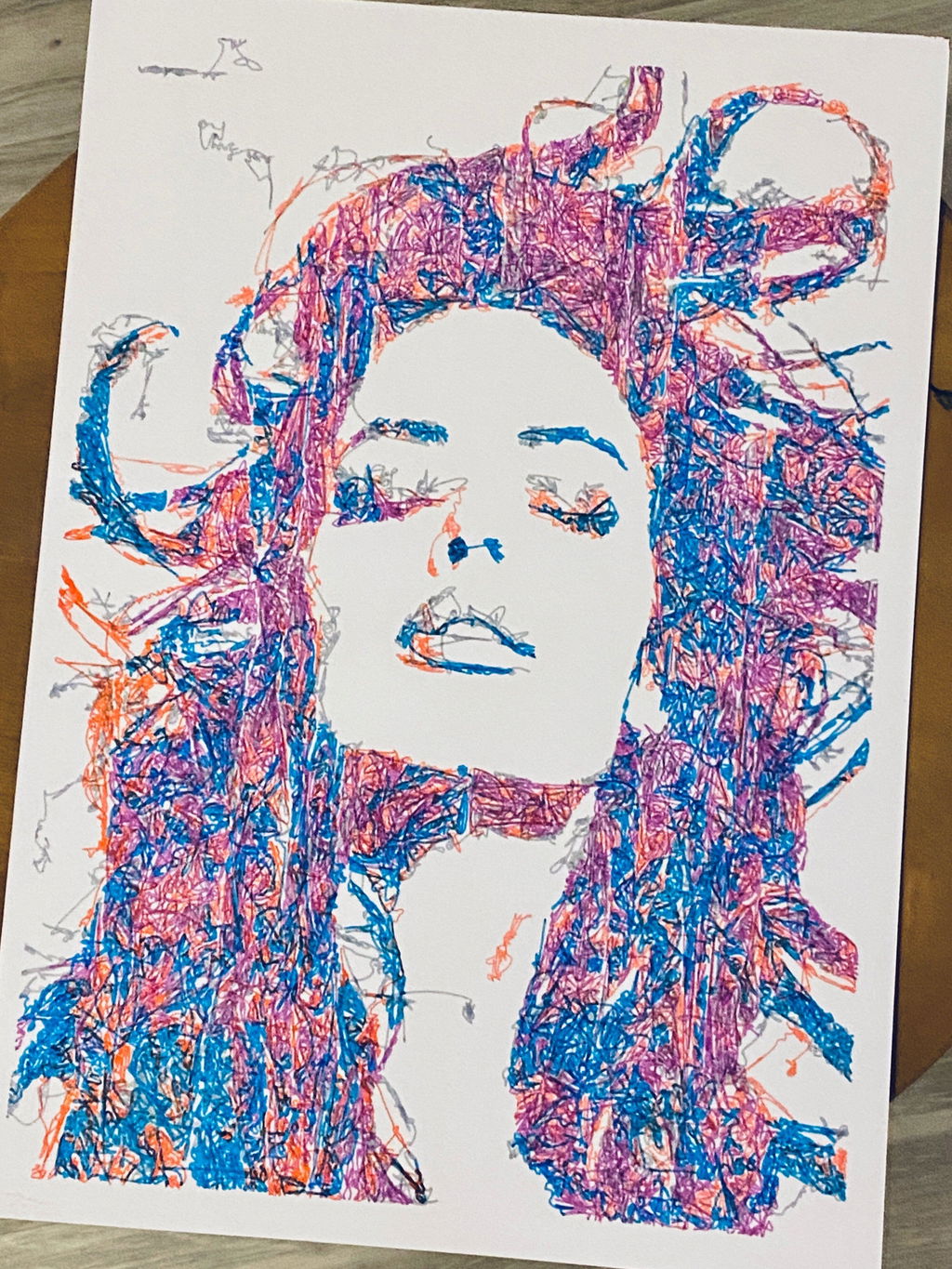
I am absolutely loving my UUNA TEK iDraw H A3 Pen Plotter! I have been using it every single day since I got it. One of the best things about it was the setup process. It was incredibly easy to assemble and get running right out of the box. The instructions were clear, and I didn't run into any issues at all.
I'm attaching a few pictures of the projects I've created with this plotter so far. It's a fantastic tool and I highly recommend it!


A
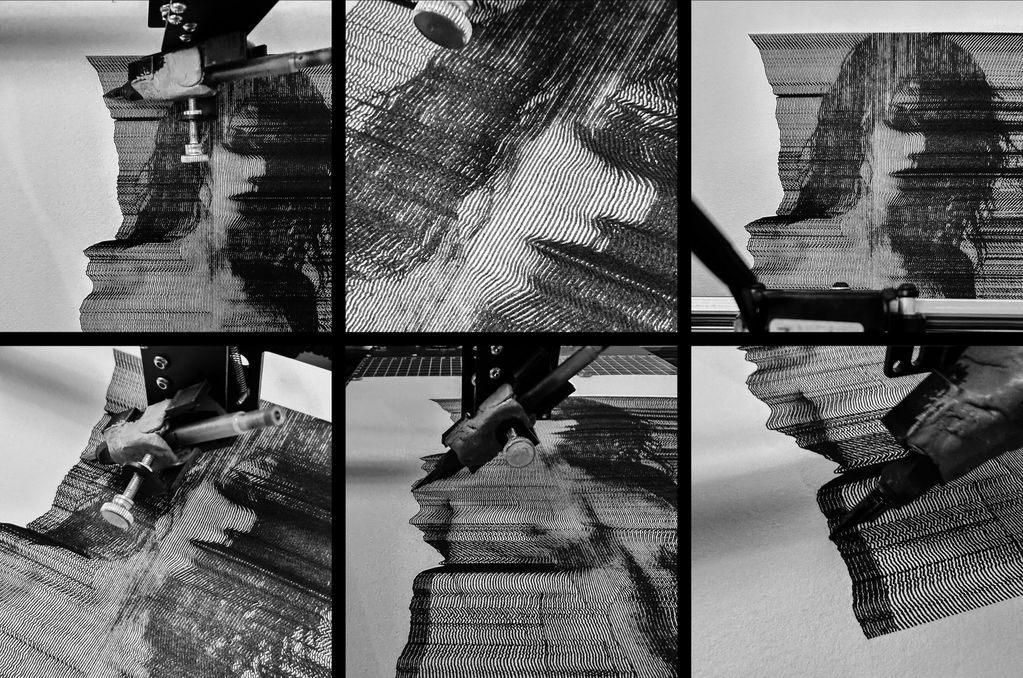
My UUNATEK Writing Robot A3 is pure creative joy packed into a precise little powerhouse. It's extremely fun to use, surprisingly versatile, and after following a clear tutorial on the UUNATEK website to set up CNCjs on a Raspberry Pi, I now run my iDraw as a fully wireless pen plotter.
I use this machine to create fast, razor-sharp line-art portraits with a Lamy pen, and the speed and accuracy are impressive. For me, this machine feels like a perfect extension of my studio. It translates digital intention into tactile and expressive drawings. A brilliant bridge between my art and ink.

B
The product is easy to use. By carefully following the manufacturer's instructions, I was able to install the Inkscape plugin easily. Assembling the plotter is straightforward, but precisely adjusting the baseplate can be tricky. I managed to reduce the unevenness to within +/- 0.1 mm by manually bending the baseplate. I found that if the deviation exceeds this limit, the lifespan of the fine liner pens is significantly shortened because their tips wear down more quickly where the baseplate has a "bump". Therefore, it is recommended to level the plate before using it for the first time.
The plotter is user-friendly, and configuring its operating parameters is simple. At high speeds, the lines may become slightly wavy; however, this issue can be easily resolved by reducing the speed. The device provides a good estimate of the plotting time, making it easier to decide if slower plotting is acceptable.
The home function allows for precise positioning of the pen tips, and you can change the pen several times while working on a drawing. It is very helpful that only select layers can be plotted from the Inkscape drawing.
Overall, I am very satisfied with this product. After carefully setting up the device, one can create highly detailed and precise plots.

F
This is my second pen plotter I have bought from Uuna Tek. In both cases I have been very satisfied with my purchase and quickly started using it after receiving it:
- The machine is shipped in good packaging
- The machine is easy to assemble and all parts are labeled so it is difficult to do it wrong
- There are some instructions on Uuna Tek's website that explain how to install the software and the extensions you need for the machine to make the first drawing
In everyday use there are no problems with using the machine and it is both fast and quiet. However, there are also some things that you will miss after using the machine for a while.
- Better cable management in softer material than the rigid plastic that is used today. I have tried to optimize the cable routing myself but it is very difficult without also changing the cables to longer ones
- It would be nice if there was an option to run the machine without a connected computer, while e.g. with a Raspberry Pi connected and maybe a small touch screen, I know there are solutions on the internet but they are not good unless you have a little technical skills. It must be possible to make something relatively cheap in the same way as it has been done with 3D printers. It could also be fun if such a box allowed for connecting a camera.
- Another thing I miss is a plugin for the software that makes it possible to plot with brushes and watercolors. I know it exists for Uuna Tek's competitors but I can't find it for Idraw.
But all in all I am very satisfied with my purchase


J
This plotter is just great. I used it mostly with fountains pens to be cost effective and with the tilted head it works perfectly. I tried it with ball pens too and it's flawless, even at high speed ! It is actually so fast my paper gives up before the plotter. I made all the invitation for my wedding with it, and everyone thought it was hand written and drawn by hand! I vectorize my writing I will let you judge for the results.
The fact it can also use a laser head is also incredibly exciting and I sure hope I will be able to test that soon. CMYK pictures are also next on my list. This system is a great investment to dive in the art and not the tech. It will grow with you and your imagination and work is the only limiting factor :)


f
I have owned my A3 iDraw plotter for over a year, and it has never malfunctioned. It operates very quickly, with minimal wobble thanks to its metal double-sided mount. I have used it with pens, markers, and brushes, and even for scraping ceramic paint off tiles before firing them. It is a durable, precise, and solid machine.
The metal base plate is a huge time-saver thanks to its magnets and alignment grid.
Additionally, for over a year of use, I haven��t needed to clean or service it at all, despite operating it in a fairly dusty and ��cat-filled�� environment :)


L
All received pretty well and easy!
I first used the wrong version of Inkscape which resulted in some bugs in the machine movements.. but once I got the right one, it rolled as hell.
I use this machine to bring my generative art into the real world. Working with real ink, paint and pens give an other dimension to creation that is otherwise limited to screens.


S
When I decided to buy it I wasn't really sure what to expect initally,
I'm always highly skeptical, as I wasn't really sure if it would be clunky or poor in precision. My assumption was worst case scenario I could take it apart, trouble shoot and reverse engineer if issues would arrive.
But it works really well, also a good thing to know is that you are not stuck to inkscape, the controler board can be talked with in gcodes over a serial connnection. Some python example code to get you started (https://github.com/MOVzeroOne/python_controler_idraw)
Haven't had any issues while using it and it works really well, waayy beyond what I initially expected of it.
If I ever need another one, I would definitely buy it again.

Z
This product is excellent. I am very satisfied. I've had another plotter from a different manufacturer before, but this one is much better. When I was a child I read a Disney comic book where Gyro Gearloose invented a painting robot. Now, with my A1 plotter, I've created a computer program that can draw any picture with line art (similar to wood engraving) and even sketch portraits, etc. The only limit is your imagination. Here are some examples I've made: https://pintorzex.com


J
I purchased the UUNA TEK? iDraw H Version Pen Plotter (A3 Size) after doing a lot of research, and it has exceeded my expectations. As an artist looking to expand my creative tools, this plotter has been a fantastic addition to my studio.
Excellent Build Quality
The H-frame design makes this machine very sturdy and reliable. It feels solid during use, and the A3 working area is perfect for both small and large projects.
Easy to Set Up
The plotter arrived well packaged, with all cables clearly labelled, making assembly simple even for first-time users. I followed an online setup video, which made the process even smoother.
Great Performance
Plotting speeds are fast, and the output is clean and consistent. I use DrawBot (premium version) to prepare my artwork and Inkscape to send files to the plotter��both work perfectly with this model.
Support That Really Helps
I had a few minor issues at the start with uneven printing on one side, but UUNA TEK��s customer support was outstanding. They responded quickly and helped resolve everything. It��s reassuring to know the company stands behind their product.
Overall Recommendation
The UUNA TEK iDraw H A3 is an excellent choice for anyone interested in pen plotting. It��s sturdy, reliable, easy to use, and backed by great support. I��m very happy with my purchase and continue to discover new creative possibilities every day.
Highly recommended for artists, makers, and beginners looking for a quality pen plotter.

L
Since working with an Idraw H A3, I have nothing but praise to give to Uuna Tek for their work. It works all the time, every day, always precise, silent and so fast! Super easy to learn, even for beginners, and excellent support. I had already installed the software part and once unboxed, I made my first drawing in a few minutes. THANKS
Depuis que je travaille avec une Idraw H A3, j'ai seulement des ��loges �� faire �� Uuna Tek pour leur travail. ?a fonctionne tout le temps, tous les jours, toujours pr��cis, silencieuse et tellement rapide! Super facile �� prendre en main, m��me pour les d��butants, et excellent support. J'avais d��j�� install�� la partie logiciel et une fois d��ball��e, j'ai fait mon premier dessin en quelques minutes. Merci

F
This pen plotter is really weell made.
Easy to mount, and so solid.
No problem using the software Inkscape and really precise while drawing.
Really recomended
